
Getting visitors to your website is important, but traffic alone does not generate business. The real goal is to turn those visitors into enquiries, leads, bookings or paying customers.
Many businesses face the same problem: their website receives visitors, but very few of them take action. They invest in SEO, social media, Google Ads and content marketing, yet conversions remain low.
If this sounds familiar, the problem may not be your traffic. It could be the experience visitors have after they arrive.
People expect websites to be clear, fast, trustworthy and easy to use. If visitors cannot understand your offer, find what they need or know what to do next, they are likely to leave.
Google’s Helpful Content guidance recommends creating useful, reliable, people-first content rather than content created mainly to manipulate search rankings.
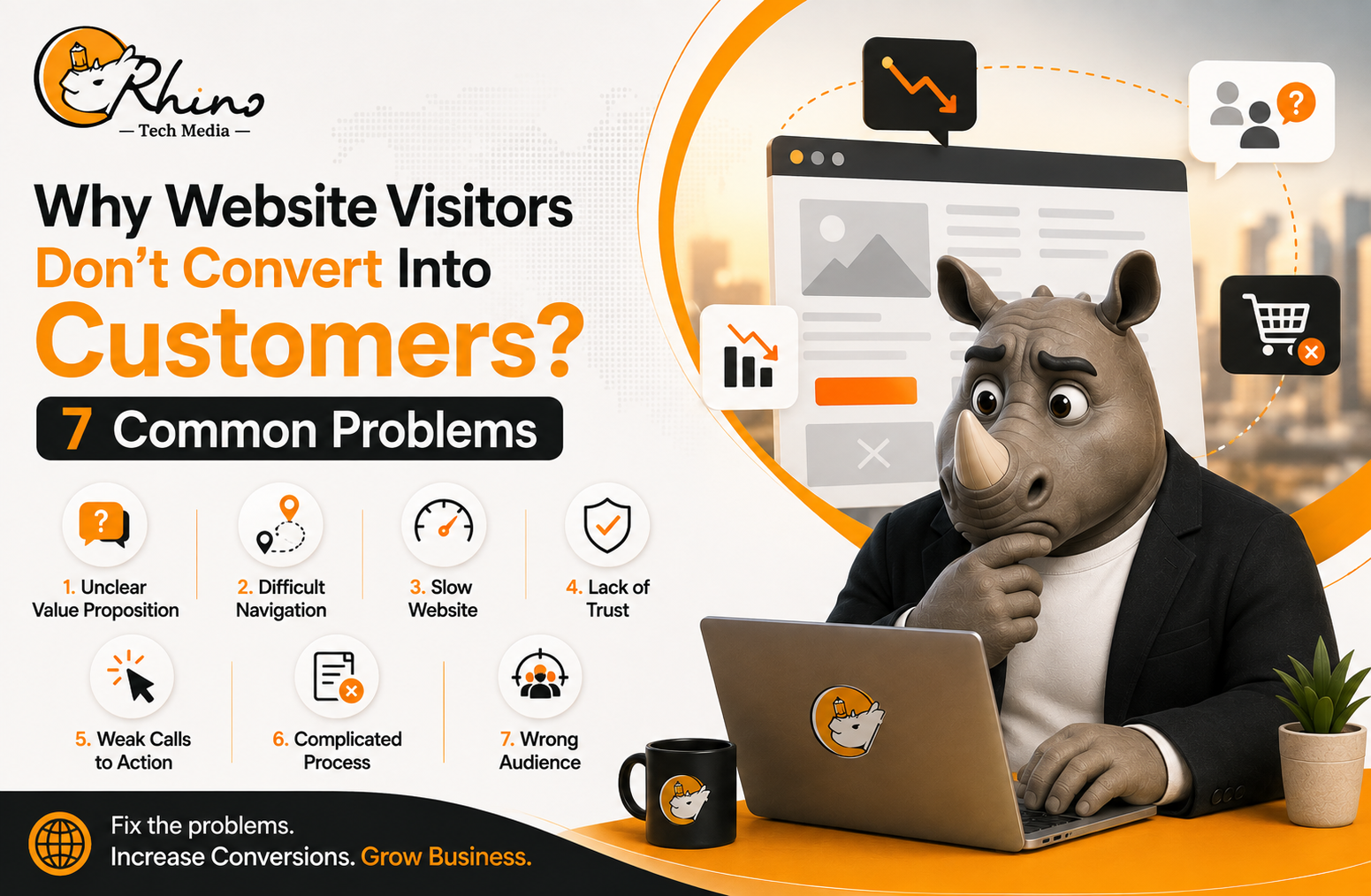
Here are seven common reasons website visitors don’t convert into customers—and what you can do about them.
1. Your Website Doesn’t Clearly Explain What You Offer
One of the easiest ways to lose a potential customer is to make them guess what your business does.
When someone lands on your homepage, they should quickly understand:
- What you offer
- Who you help
- What problem you solve
- Why your solution is useful
- What they should do next
For example, “Innovative Solutions for a Better Future” may sound professional, but it doesn’t explain much.
A clearer headline would be:
“Website Design Services That Help Small Businesses Generate More Leads.”
The second version immediately communicates the service and its benefit.
Improve your value proposition
Your headline and supporting content should be specific. Avoid vague statements and explain exactly how your product or service helps customers.
Clear website copy also supports SEO because Google recommends creating helpful content that is easy for people to understand. The Google SEO Starter Guide provides further guidance on creating useful, well-structured pages.
2. Your Website Is Difficult to Navigate
A website can look modern and still provide a poor user experience.
If visitors have to search through several pages to find your services, pricing, portfolio or contact information, they may simply leave.
Common navigation problems include:
- Complicated menus
- Too many options
- Unclear page names
- Important information buried deep in the website
- Broken links
- Poor mobile navigation
- No obvious path toward an enquiry
A good website should guide visitors naturally:
Problem → Solution → Benefits → Proof → Action
Think about what a first-time visitor needs at every stage. The easier you make the journey, the less effort they need to put into becoming a customer.
Good UX is not just about attractive design. It is about helping people accomplish their goals quickly and comfortably. Baymard’s UX research highlights how usability problems can affect online shopping and website performance.
3. Your Website Is Too Slow
A visitor may be interested in your business, but a slow website can make them leave before they even see your content.
This is especially important on mobile devices, where people may be browsing with slower connections or smaller screens.
Google’s Core Web Vitals measure important aspects of page experience, including loading performance, responsiveness and visual stability.
Simple ways to improve speed
- Compress large images
- Use modern image formats
- Remove unnecessary plugins
- Reduce unused scripts
- Improve server response time
- Enable caching
- Test your website regularly on mobile
You can use Google PageSpeed Insights to identify performance problems on individual pages.
Website speed is more than a technical SEO issue. A faster site creates a smoother experience and removes one of the barriers between visitors and conversions.
4. Your Website Doesn’t Build Enough Trust
Visitors don’t automatically trust a business just because it has a professional website.
Before contacting you or making a purchase, they may want to know:
Is this business genuine?
Do they have relevant experience?
Can I trust them to deliver what they promise?
If your website makes claims without providing evidence, potential customers may hesitate.
Add genuine trust signals
Consider including:
- Customer testimonials
- Reviews
- Case studies
- Portfolio examples
- Client logos where appropriate
- Certifications
- Industry memberships
- Team information
- Clear contact details
- Frequently asked questions
Instead of simply saying “We provide high-quality digital marketing,” show examples of your work and explain the results you achieved.
This supports Google’s E-E-A-T principles—experience, expertise, authoritativeness and trustworthiness. Google’s guidance on creating helpful content explains why demonstrating credibility and first-hand experience can strengthen the quality of your content.
5. Your Calls to Action Are Weak
Sometimes visitors are interested in your service but leave because they don’t know what to do next.
A clear call to action (CTA) gives them a simple next step.
Instead of generic buttons such as:
- Submit
- Click Here
- Learn More
try more specific options:
- Request a Free Consultation
- Get a Project Quote
- Book a Discovery Call
- Talk to Our Team
- View Our Portfolio
- Start Your Project
Your CTA should match the visitor’s intent.
Someone reading an introductory blog may be ready to Explore Our Services, while someone on a service page may be ready to Request a Quote.
Avoid giving visitors too many competing options. One clear next step is often more effective than several.
6. Your Enquiry or Checkout Process Is Too Complicated
A visitor can be ready to convert and still abandon the process if your website makes it difficult.
This can happen when:
- Forms ask too many questions
- Checkout requires account creation
- Extra costs appear unexpectedly
- Payment options are limited
- Forms are difficult to use on mobile
- Booking requires too many steps
- Error messages are confusing
For ecommerce businesses, this can have a significant impact.
According to Baymard Institute’s cart abandonment research, the average documented online shopping cart abandonment rate is around 70%. Its research also found that 17% of US online shoppers abandoned an order because the checkout process was too long or complicated.
Not every abandoned cart represents a lost customer, but unnecessary friction can certainly reduce sales.
Make conversion easier
Try to:
- Remove unnecessary form fields
- Offer guest checkout
- Show costs clearly
- Explain delivery information early
- Provide suitable payment options
- Make errors easy to correct
- Keep forms short and simple
If you only need a name, email address and project details to start a conversation, don’t ask visitors for unnecessary information.
7. You’re Attracting the Wrong Visitors
More website traffic does not automatically mean more customers.
You could receive thousands of visitors but still generate very few enquiries if those visitors are not interested in your product or service.
For example, a company selling professional website development may attract people searching for “free website builder.” The traffic may look impressive, but those visitors may be looking for a completely different solution.
This is why search intent matters.
Focus on relevant traffic
Review:
- Which keywords generate traffic
- Which landing pages attract visitors
- Which sources produce enquiries
- Which pages have high exit rates
- Which campaigns generate customers
- Whether your ads match your landing pages
The goal of SEO isn’t simply to get more visitors. It is to attract the right visitors.
Google’s SEO Starter Guide recommends creating useful content that meets users’ needs and aligns with the language people use when searching.
How to Find the Real Conversion Problem?
Before redesigning your entire website, look at your data.
Check your conversion rate
Find out how many visitors complete your main goal, such as submitting a form, booking a call or making a purchase.
Review landing pages
Identify which pages bring traffic and which pages lose visitors.
Compare traffic sources
Visitors from Google, social media, paid advertising and referrals may behave differently.
Check mobile performance
Make sure your website is easy to use on smartphones as well as desktops.
Analyse forms and checkout
Find out where visitors start the process but fail to finish.
Listen to customers
Analytics can show what visitors do, while customer feedback can help explain why they do it.
Combining website data with real customer feedback gives you a much clearer picture of what needs improvement.
Turn More Visitors Into Customers
You don’t always need a complete website redesign to improve conversions.
Start with the biggest problems. Make your message clearer, simplify navigation, improve page speed, strengthen trust signals and create better calls to action.
Then simplify your forms or checkout process and make sure your SEO strategy attracts people who are genuinely interested in what you offer.
Most importantly, test changes rather than relying on assumptions. A better headline, shorter form or clearer CTA can sometimes make a bigger difference than an expensive redesign.
Conclusion
Website traffic is only the starting point. To turn visitors into customers, your website needs to be clear, fast, trustworthy and easy to use. By identifying where visitors leave and fixing the biggest barriers first, you can create a smoother customer journey and generate more meaningful enquiries.
Review your website today and find the opportunities you may be missing.
